
Your Intervals.icu Companion, On the Go.
Seamlessly track your fitness, analyze activities, and stay on top of your training plan with the essential mobile companion for Intervals.icu users.


Why Choose Subintervals?
Unlock the full potential of your Intervals.icu data with a dedicated mobile experience.
Seamless Integration
Connects directly with your Intervals.icu account. No extra setup, just your data, mobile-ready.
Comprehensive Tracking
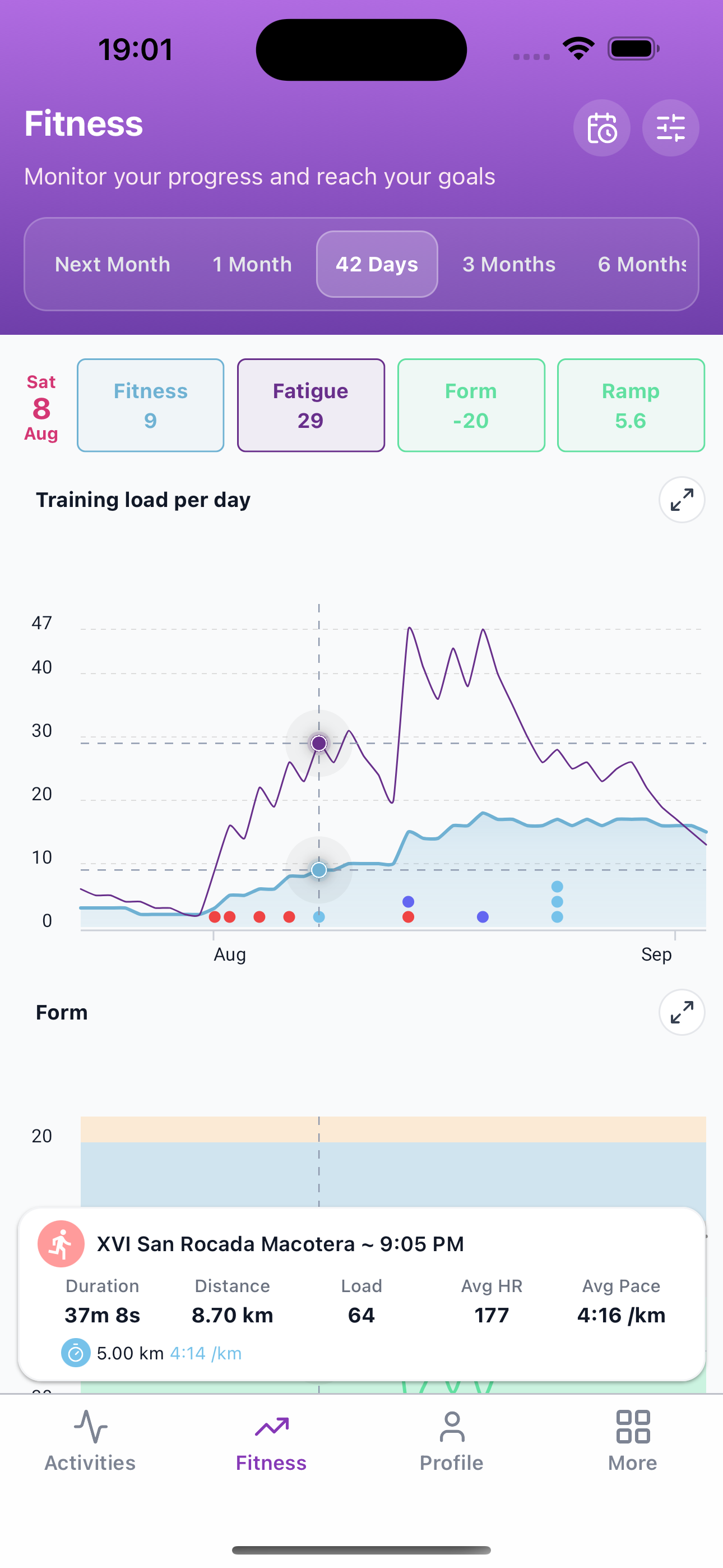
Visualize your fitness, fatigue, form, and ramp rate with insightful charts and detailed activity logs.
Organized & Accessible
Access your training calendar, planned workouts, and activity details anytime, anywhere.
Always Improving
Regular updates with new features and enhancements based on community feedback.
How It Works
Three steps from your Intervals.icu account to training insights on the go.
Step 1
Connect
Log in with your existing Intervals.icu account. No new passwords or sign-up forms.
Step 2
View
See fitness charts, your training calendar, and detailed activity analysis on your phone.
Step 3
Train
Review planned workouts, follow intervals, and stay on track wherever you ride or run.
Get Started in Seconds
Log in directly with your existing Intervals.icu account. No new passwords, no lengthy sign-ups. Your training data is instantly available on your mobile device.
Visualize Your Fitness Journey
Track key performance metrics with clear, easy-to-understand charts. Monitor your Fitness (CTL), Fatigue (ATL), Form (TSB), and Ramp Rate to make informed training decisions.
Training Calendar & Workouts
Your full training schedule, activities, and planned workouts — all synced with Intervals.icu and ready on your phone.
- Switch between timeline and month views, and keep scrolling to load older history.
- See weekly totals, load, fitness, and time in zones above your activity list.
- Add workouts, notes, or events like rest days, then edit or delete them later.
- Open a planned session for target zones, duration, and a workout chart in context.
Dive Deep into Every Activity
Go beyond summary stats. Subintervals provides detailed charts and customization options for a thorough analysis of each workout:
- Interactive charts for Heart Rate, Power, Cadence, and Altitude.
- Easily edit activity titles for better organization.
- Log RPE (Rate of Perceived Exertion) and how you felt.
- Add personal notes to remember key details about your session.
Manage Your Profile
Your progress, wellness, and preferences — all in one place.
- See weekly distance, time, and elevation by sport, plus a 12-week trend.
- Check latest wellness and recovery, using the metrics you track — including custom fields.
- Manage personal information, gears, theme, and language from one place.
More Tools & Support
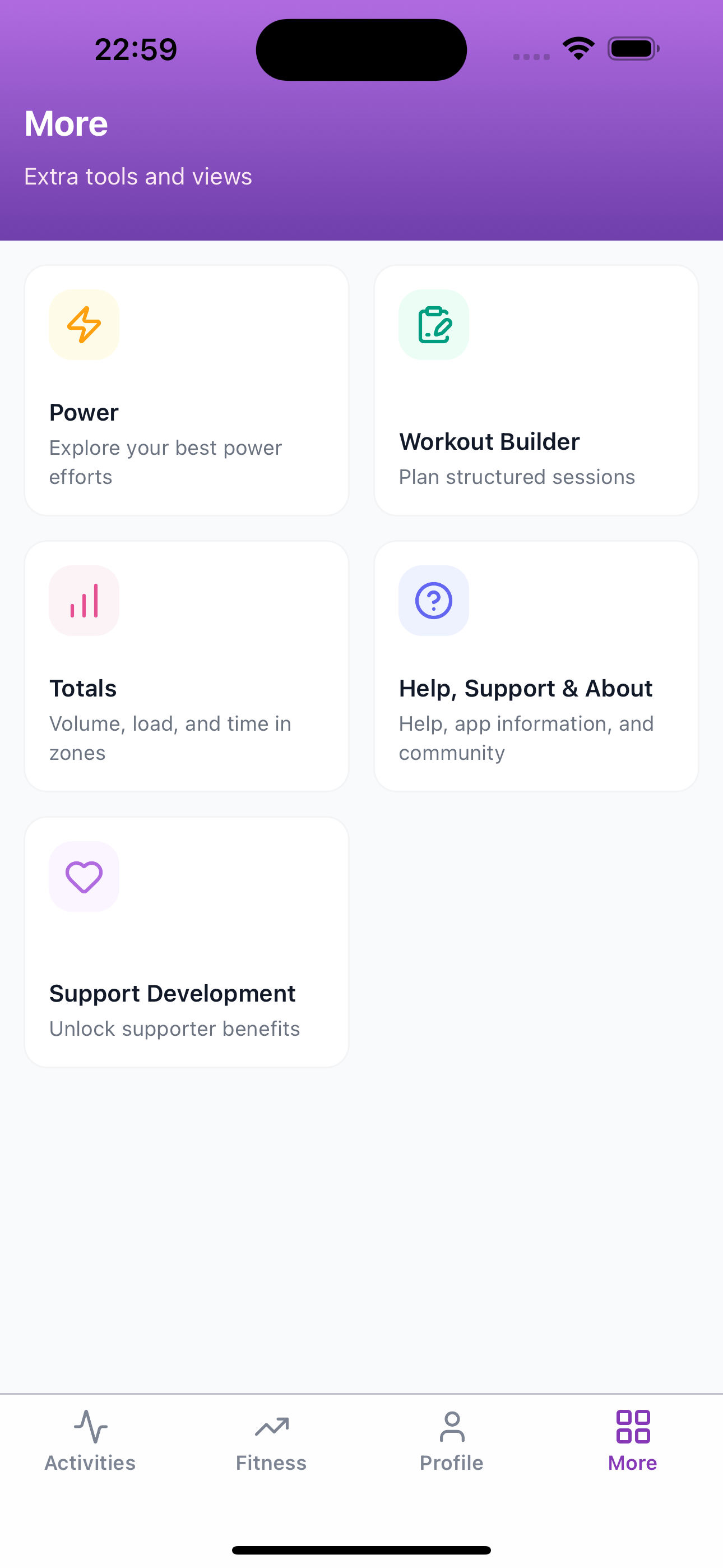
Use More to open extra tools and views, including Workout Builder, Power, Totals, help, app information, and supporter options.
Explore Your Power Curve
Compare your best power efforts across recent blocks, seasons, and all time. Scrub the curve for exact watts, then review key durations and W/kg in one table.
- Overlay 42 days, this season, all time, or a custom range on the same curve.
- Scrub any duration to compare watts across the periods you selected.
- Check best efforts, MAP, TTE, and VO2max with watts and W/kg side by side.
Build Structured Workouts
Create detailed training sessions from your phone. Plan intervals on a visual workout graph, see time in each power zone, and edit the session with zone shortcuts or workout code.
- Review duration, FTP, and segments next to a color-coded interval graph.
- See planned time in Z1–Z7 and sweet spot before you save.
- Add a zone with one tap, or edit workout code and update the graph.
Review Your Training Totals
Open Totals from More to see volume, load, and time in zones for a selected period. Break it down by sport and compare how your training distributes across zones — using the same time-in-zone source as intervals.icu.
- Switch between YTD, 42 days, 3 months, 6 months, and 1 year.
- See activity count, distance, duration, elevation, load, and more in one summary.
- Review sports breakdowns plus combined, pace, and training-distribution zones.
Want the full picture?
Explore every feature and follow along with each release in the changelog.
See all features & release historyReady to Elevate Your Training Analysis?
Download Subintervals today and experience your Intervals.icu data like never before. Take control, gain insights, and achieve your fitness goals.
Free to download · Syncs with your existing Intervals.icu account